
A travel brand and the SaaS itinerary tool it lives in
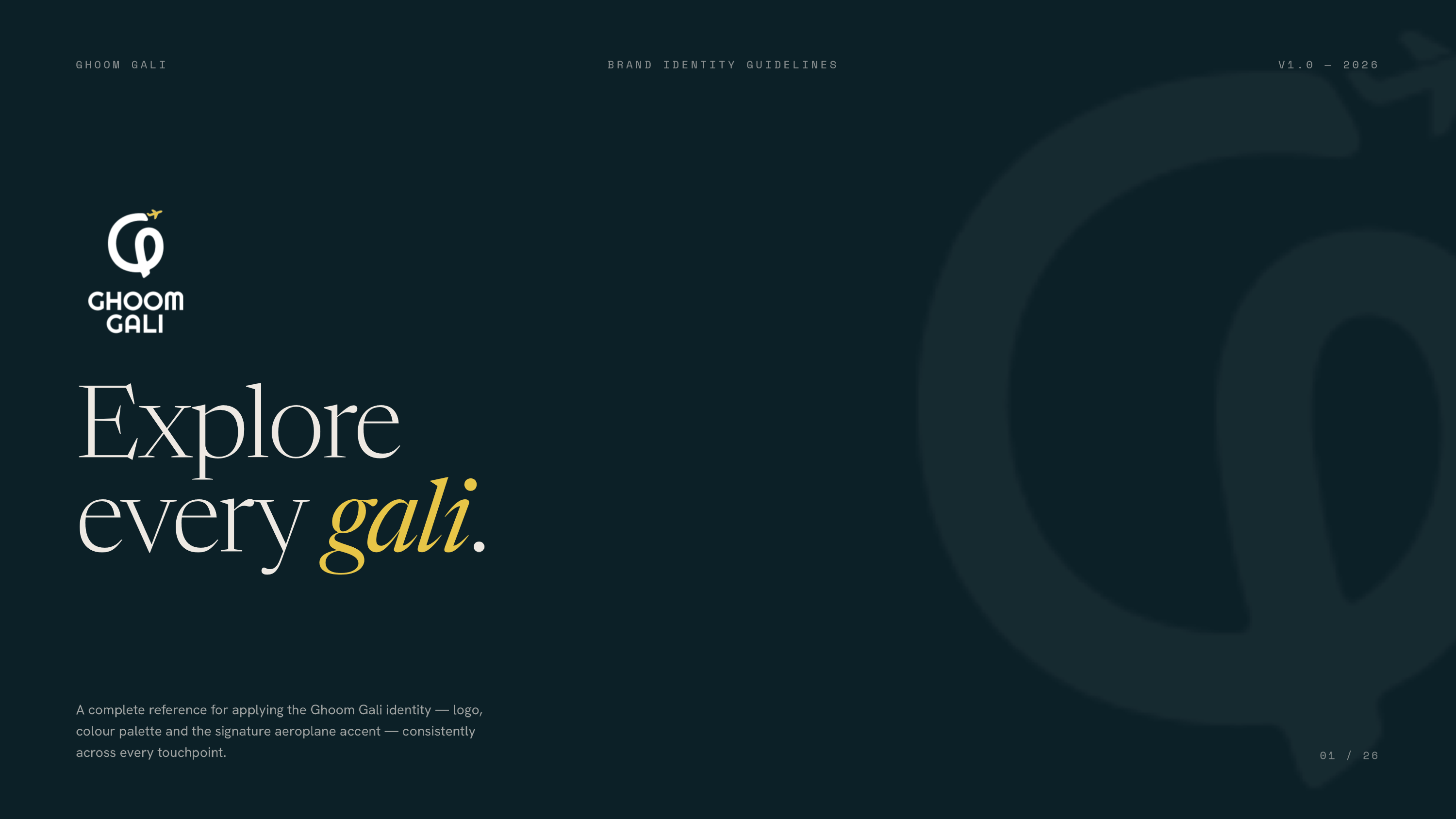
A new travel company with a name, and nothing else yet.
Ghoom Gali plans trips for travellers. When they hired me, they had a name and no identity: no logo, no colours, nothing to make an Instagram post, a quote and a brochure look like they came from the same company.
The work ran in two parts. First a brand identity and the guidelines to use it. Then a tool that puts that brand on every itinerary the team sends, so the brand shows up where travellers actually spend the most time with it.
Brand identity
Logo, colour and type, built around the name.
Guidelines
26 pages of rules, so the team and developers use it correctly.
Itinerary maker
Designed by me, built with AI, used by the team for every trip.
Fun enough for young travellers, serious enough to trust with a trip.
The client wanted a logo that young people would relate to: friendly, a little playful. But travellers pay upfront for a trip, so it also had to look established and professional. And it had to mean something. Ghoom gali is, roughly, “wander the lanes,” and the identity needed to say that.
Look trustworthy.
A new company asking for money upfront needs to look like it will still be there when the trip starts.
Stand apart from other agencies.
Most travel agencies reach for the same globes, map pins and stock photos.
Look the same everywhere.
Instagram, quotes, print and merchandise should all read as one company.
It started on paper, a page of Gs at a time.
I sketched before opening any software: Gs with swirls, palm trees and suns, then the name itself as rounded letters, then those letters stacked into a wordmark. The G that loops into a path, with an aeroplane lifting off it, came out of those pages.
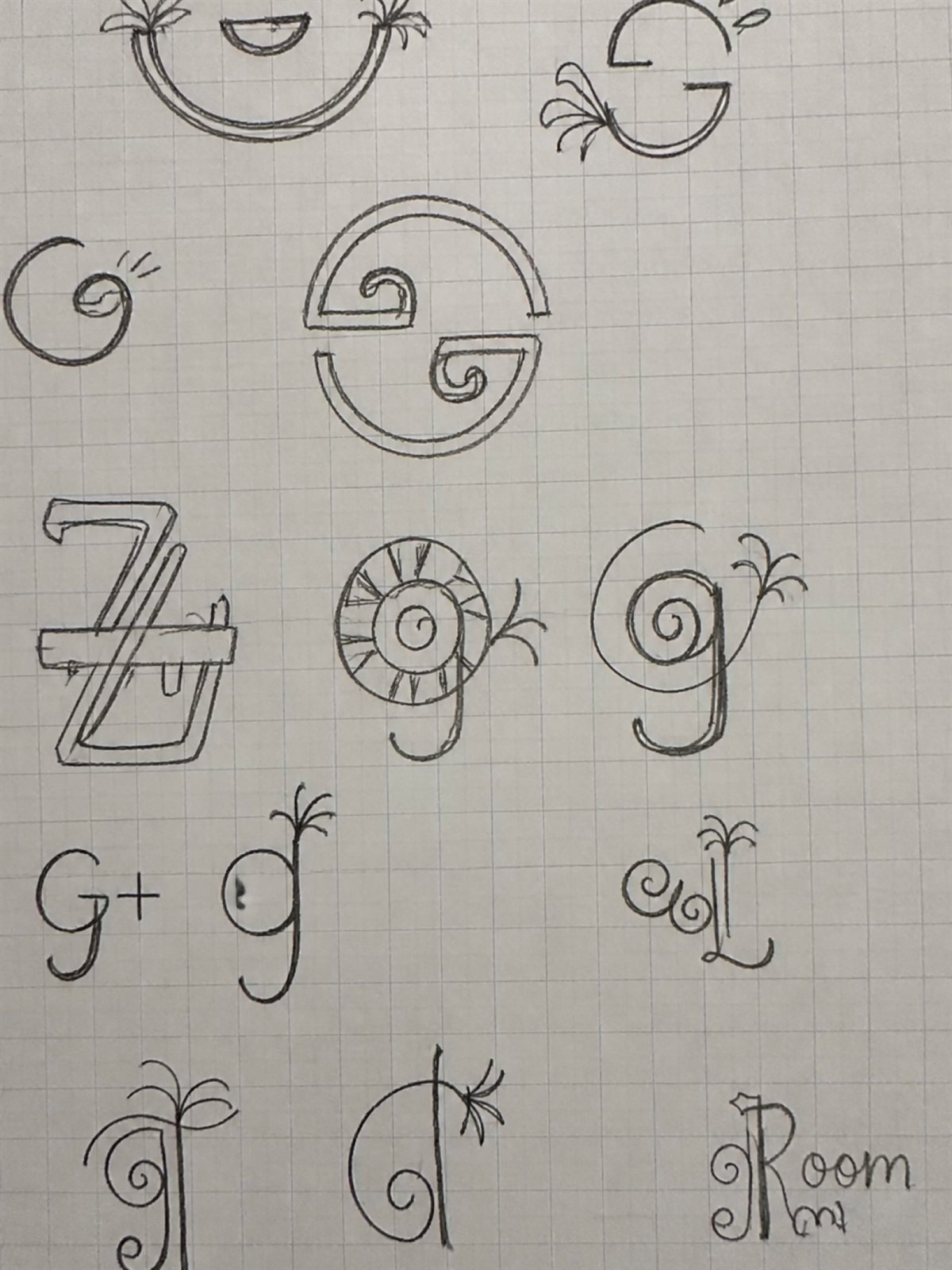
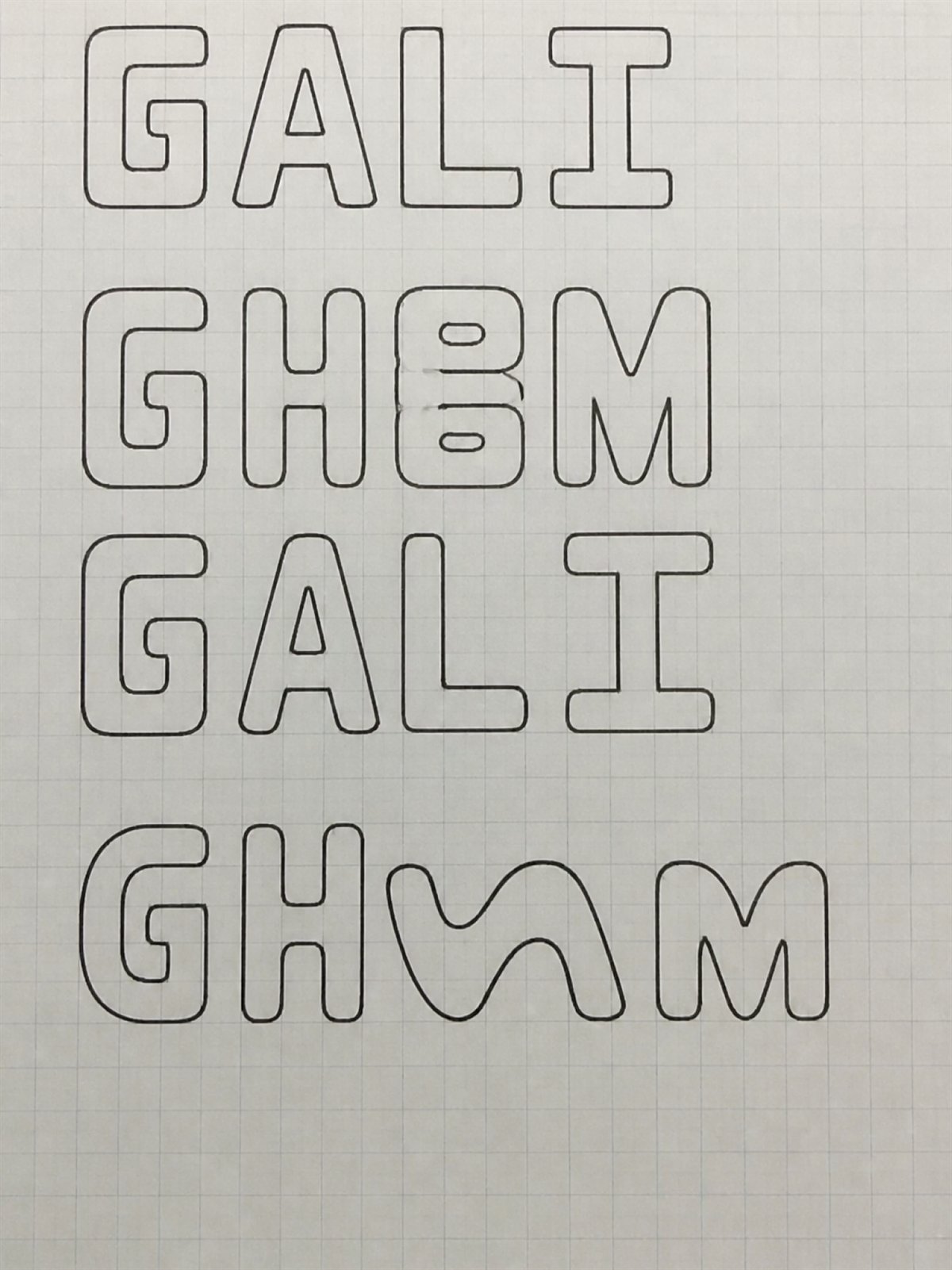
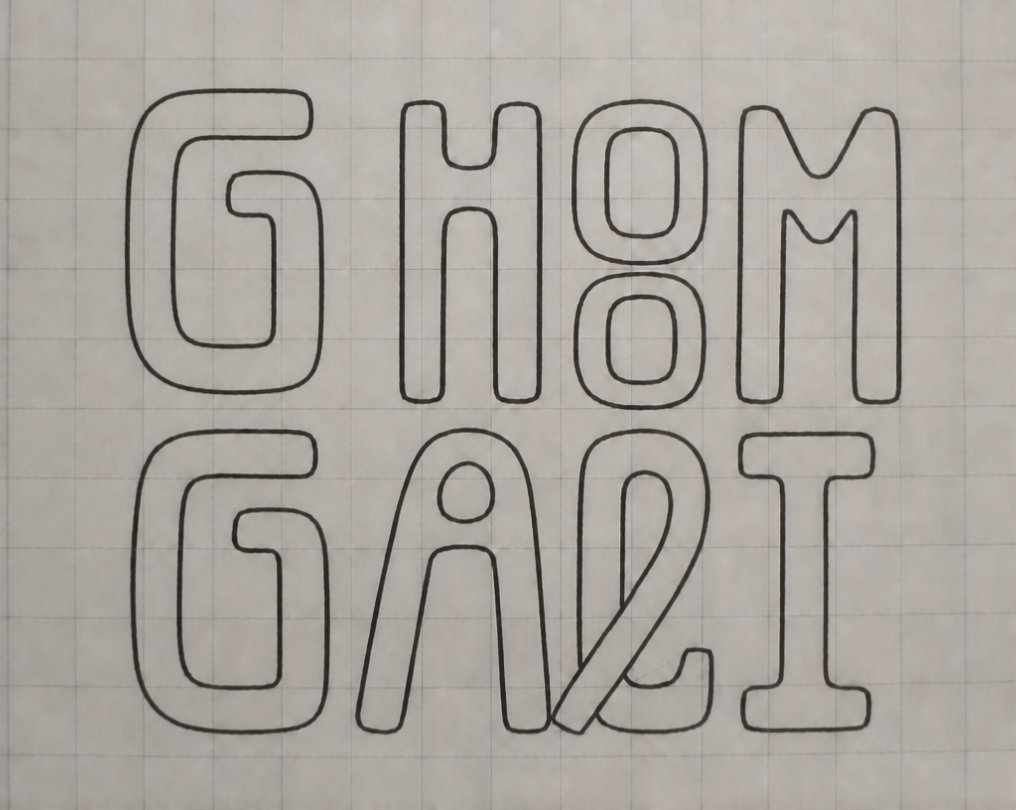
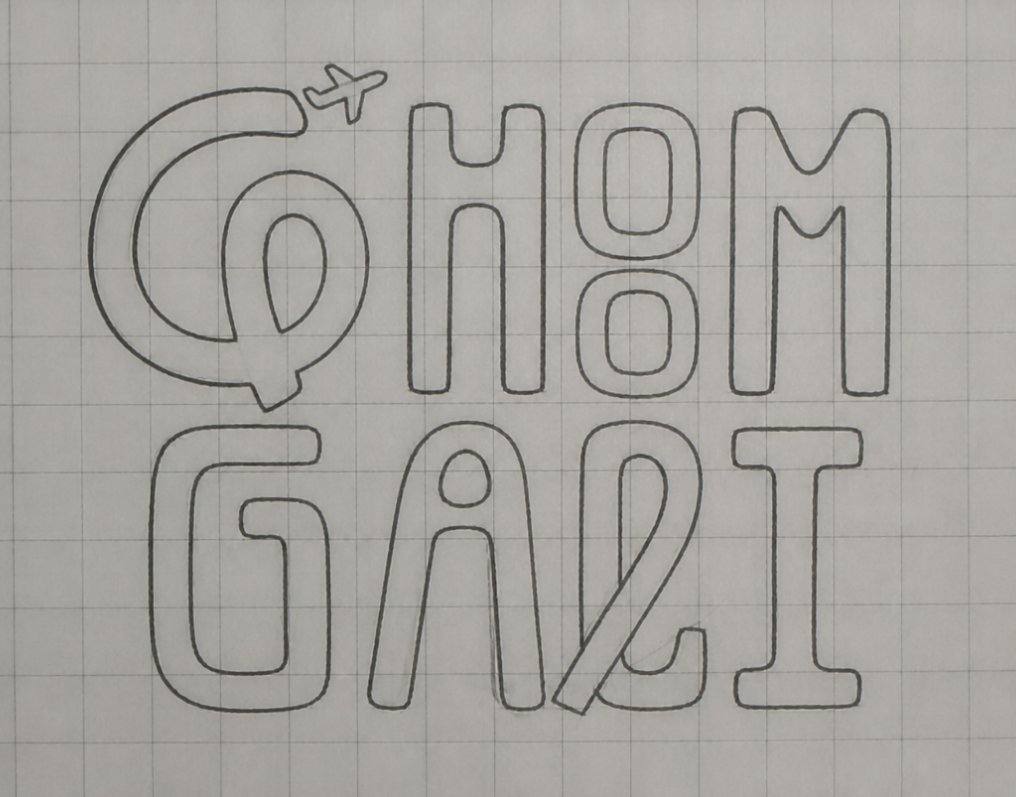
Rough on purpose: letterforms first, then the wordmark, then the G that became the mark.
Five directions went to the client.
I set each option on a travel photograph, so the client could judge it the way people would meet it: on a post, a banner, a bag.

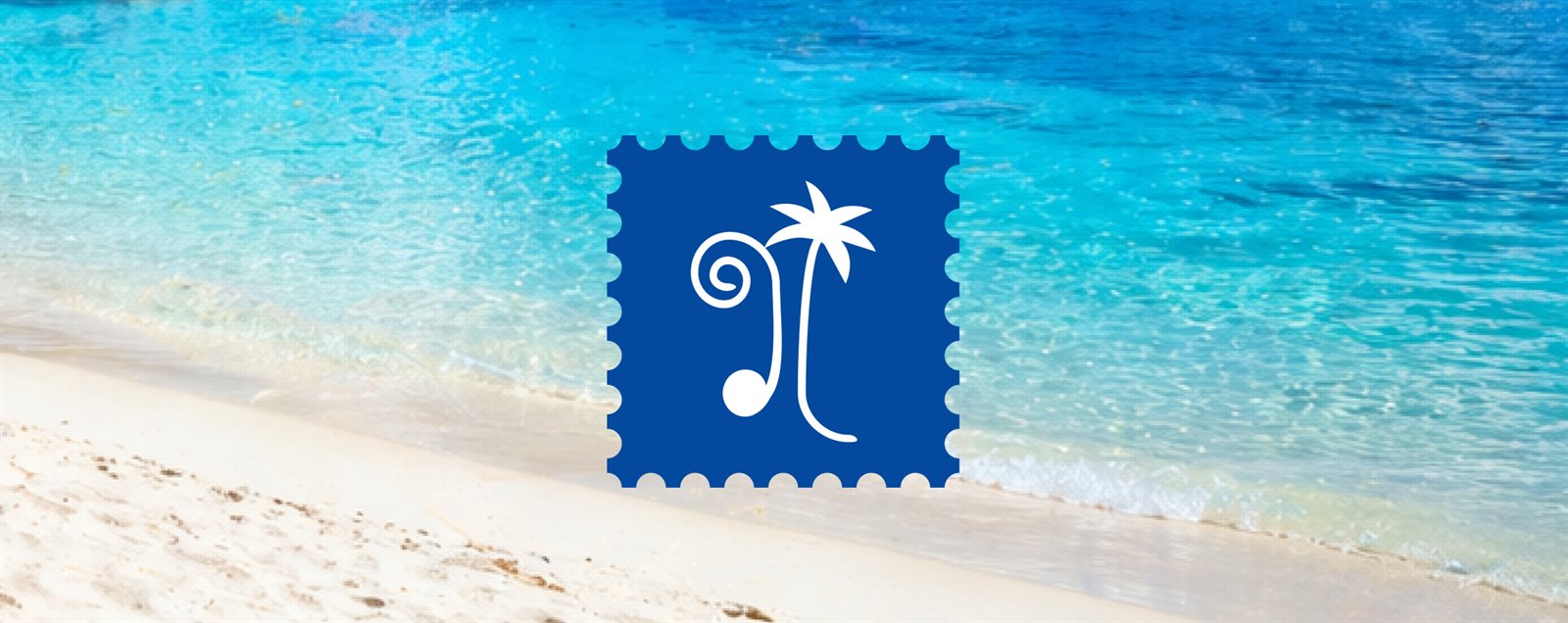
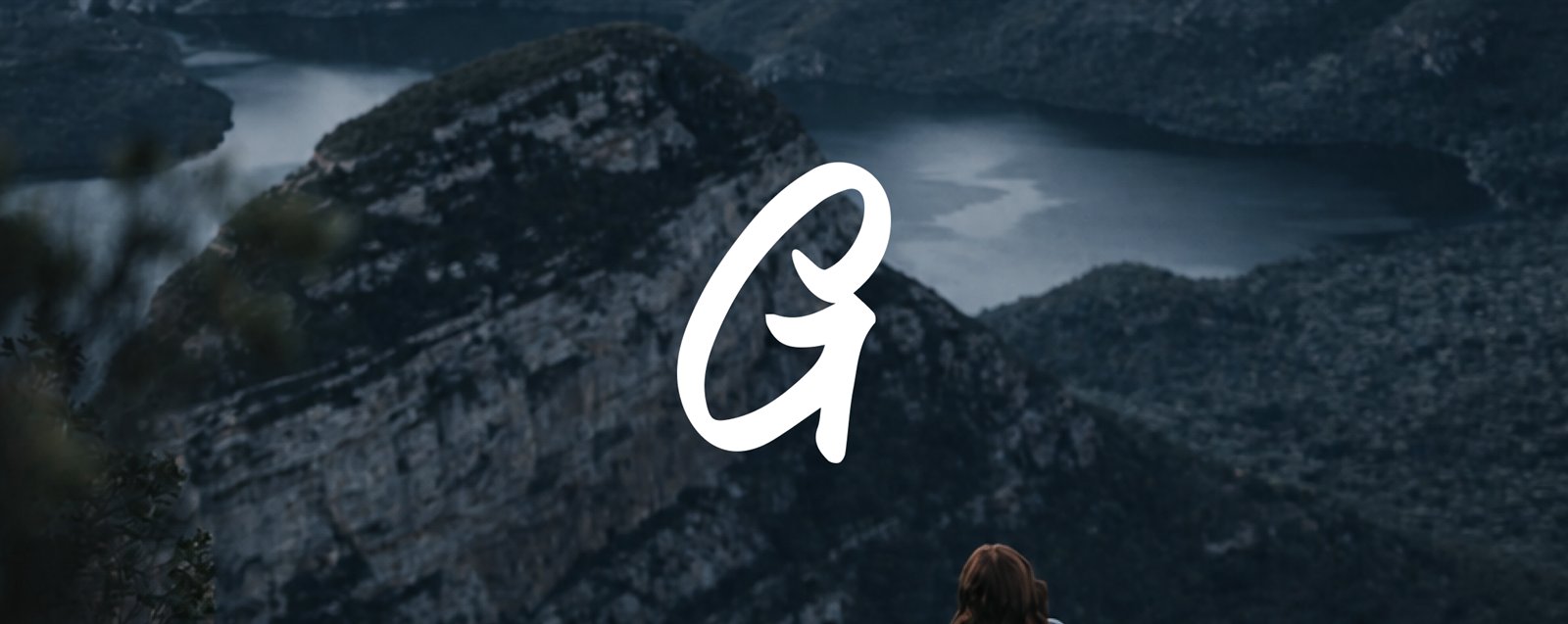

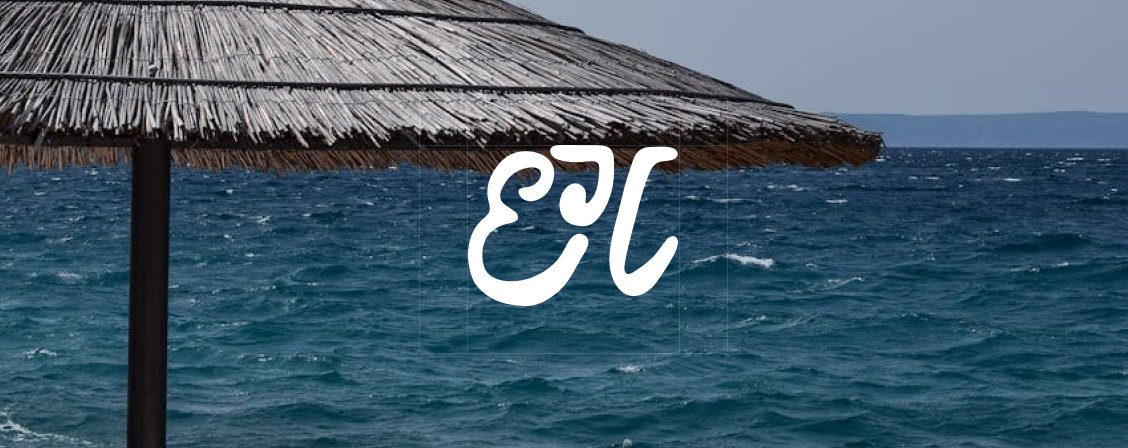
Why the looping G won.
It is built from the name.
The stamps showed travel in general. The G is Ghoom Gali’s own letter.
It isn’t only about beaches.
Palms and suns promise a beach holiday. The company also takes people to cities, mountains and old lanes.
It is fun without looking like a souvenir.
The stamps and scripts were playful, but they didn’t look like a company you would trust with a booking.
It holds up small.
Thin lines and stamp edges disappear on a profile picture or a luggage tag. One heavy shape doesn’t.
The client asked for a round of changes before approving it, and that refined version became the final mark.
A G that is also a lane.
The mark is a solid G drawn as a path, a gali. It carries the promise in the tagline, explore every gali: the company takes you places in a way that makes each one worth the trip. A small aeroplane lifting off the top says “travel” without reaching for a globe.
 Logomark
 Primary lockup
Round, looping forms
The G curls into one continuous line, and the aeroplane adds a bit of movement. It feels friendly before it feels corporate.
Solid weight, plain wordmark
A heavy, simple shape and an unfussy wordmark keep it steady and professional at any size.
A palette taken from nature, balanced between fun and trust.
Each colour comes from the natural world travellers go out to see. Abyss is deep and steady, and it does the trust work. Mint, Lantern and Chai bring the warmth that makes the brand feel inviting.
The lockup on each main ground, in the colourway that holds contrast there.
An editorial serif, with a warm, modest sans beside it.
The serif sets headlines and gives the brand a considered, trustworthy voice. The sans handles everything people read at length and stays friendly at small sizes. Small labels, prices and page numbers use the same sans in tracked capitals.
Rules written for the people using it after me.
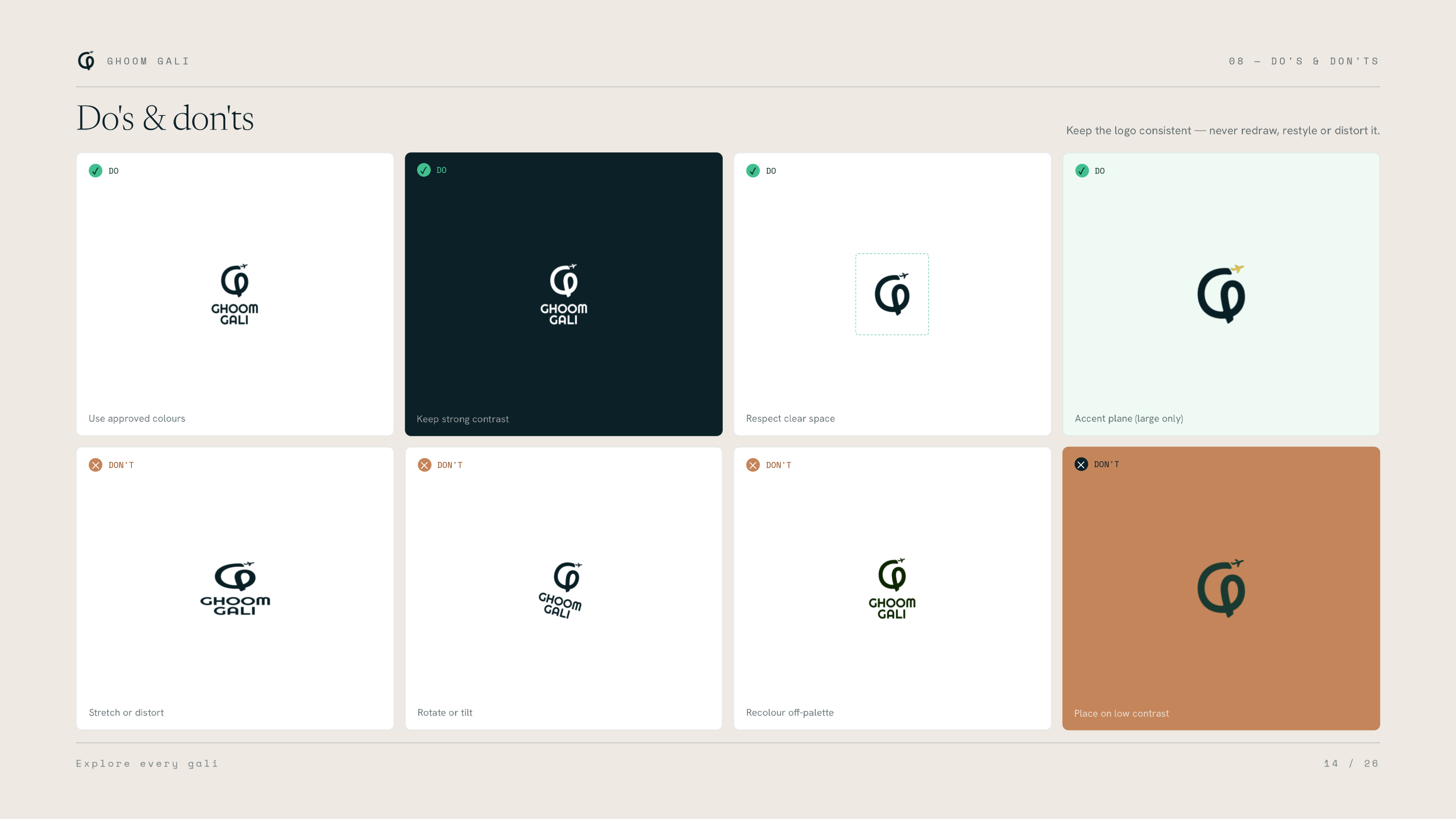
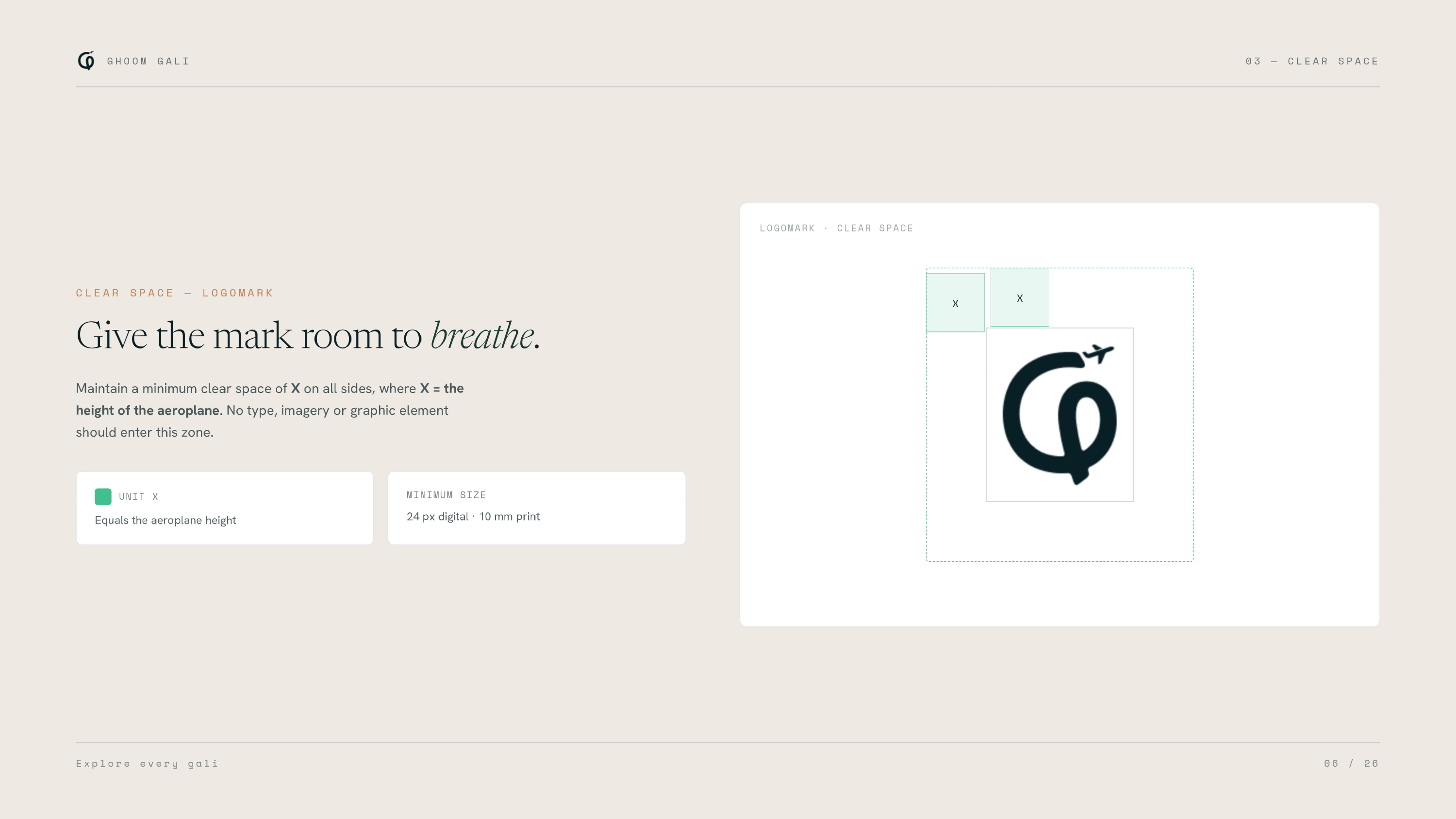
The guidelines cover clear space, the lockup on every colour, black and white versions, when the aeroplane can take an accent colour, and a page of do’s and don’ts. They are what the Ghoom Gali team and their developer work from now.
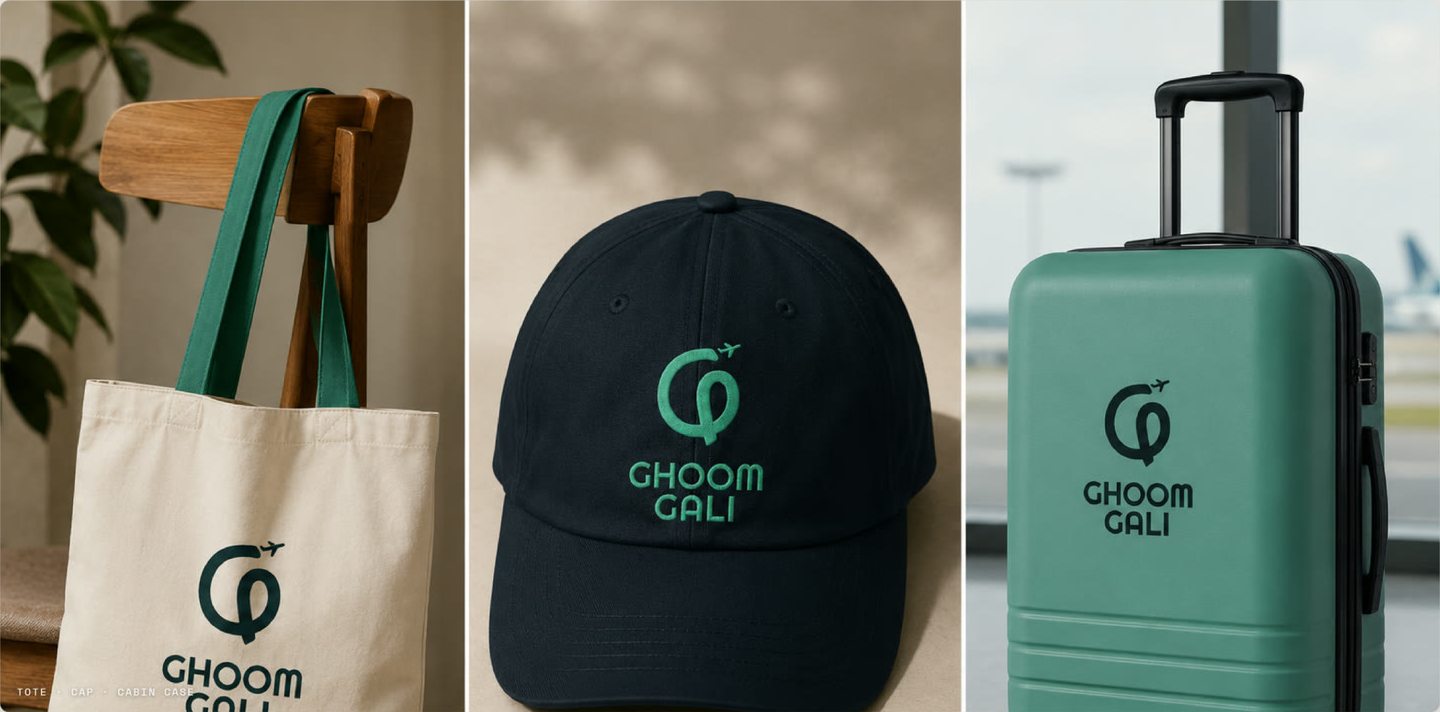
From the Instagram feed to a cap.
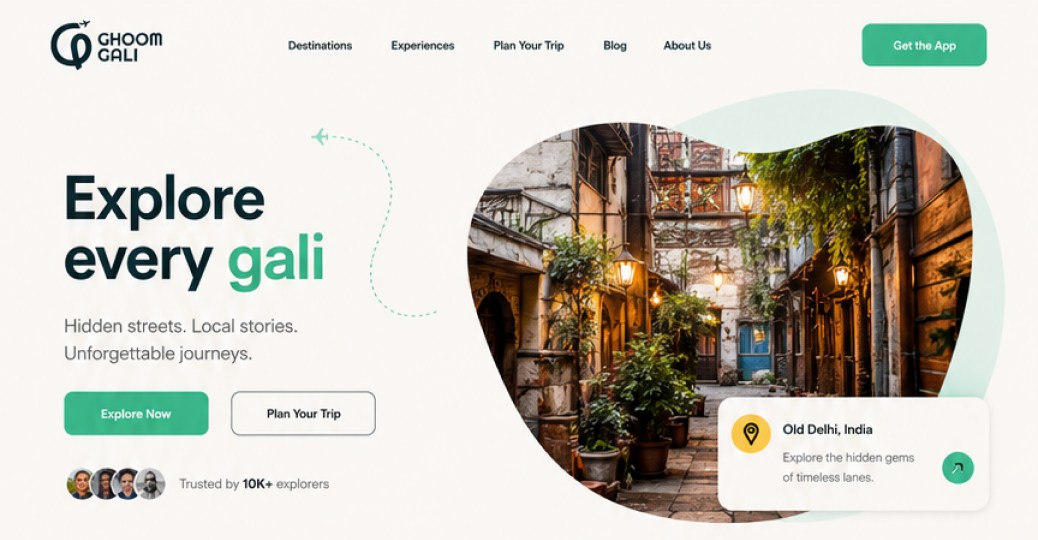
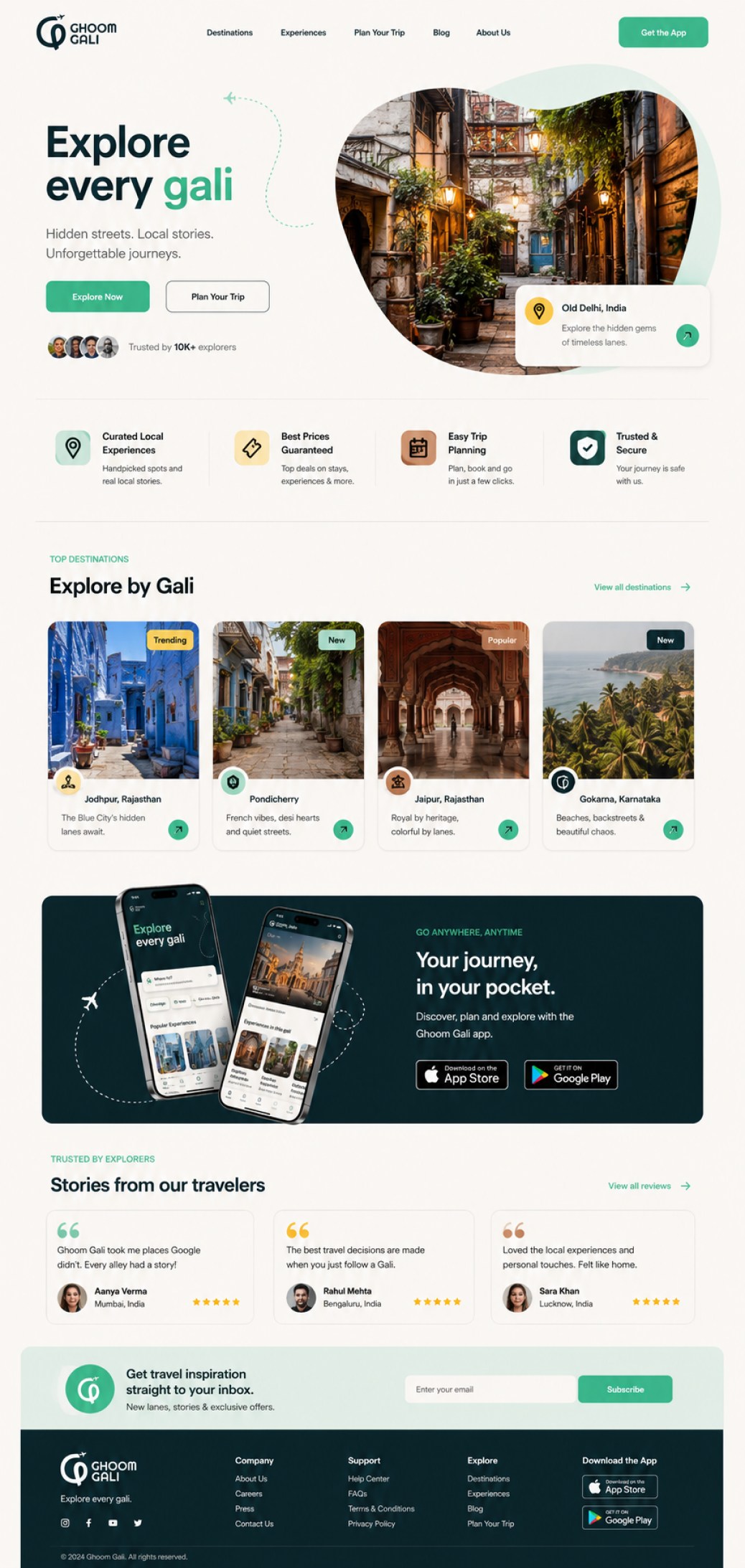
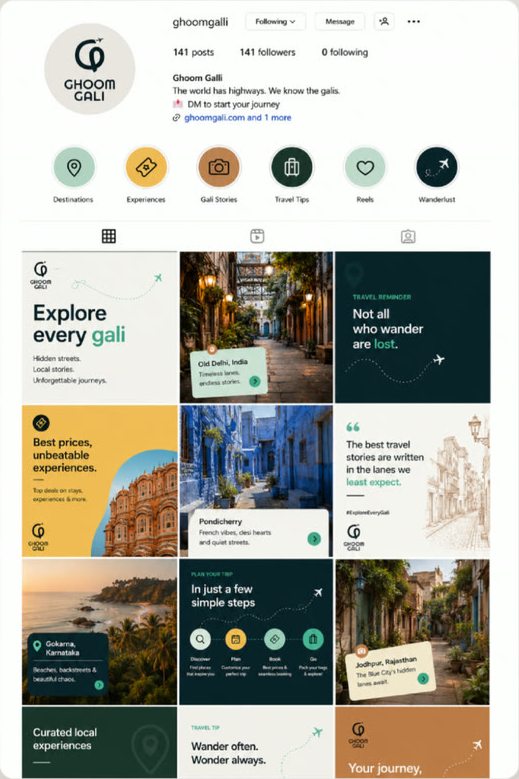
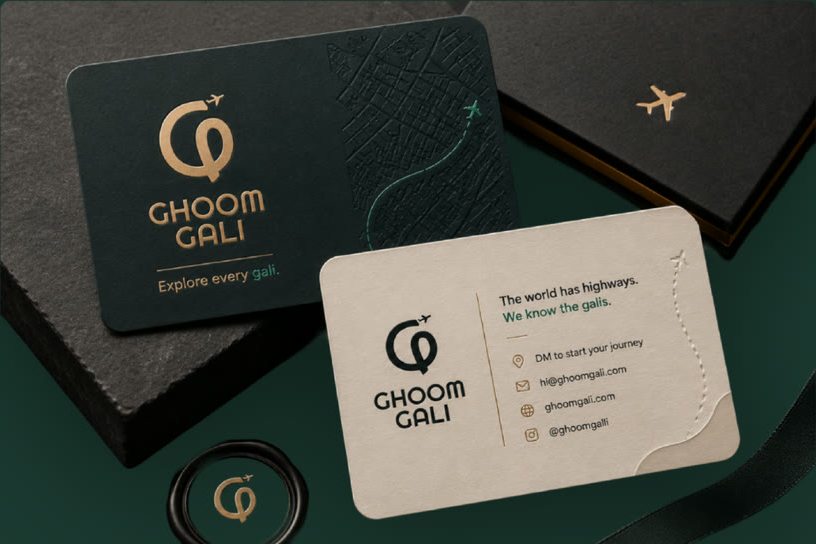
The Instagram feed already runs on the system: serif headlines, warm street photography and the mark as a quiet sign-off. The website is designed and now being built by the client’s developer from these assets. Business cards and merchandise show where it goes next.
The tagline leads.
“Explore every gali” is the first thing on the page, with gali picked out in Mint and the aeroplane’s dashed path looping beside it.
Every icon wears the palette.
The four promises under the hero each sit on a different brand colour, so the palette does the decorating.
Destinations, by gali.
The name becomes the way to browse: places are introduced by their lanes, not their landmarks.
Abyss marks the big moments.
The app band and the footer switch to the deepest colour, the same trust colour that anchors the logo.
Every itinerary was built by hand, in whatever tool was open.
A day-by-day itinerary with a quote is the document a traveller reads most closely before paying. At Ghoom Gali, each one was put together by hand in Word, Google Docs, Canva or a spreadsheet, depending on who made it. It took hours, no two looked alike, and it undid the consistency the brand was meant to create.
The client asked for a tool that turns the plan agreed with a customer into a branded PDF. As the team started using it, they sent more requests over WhatsApp, round by round.
- Paste day-wise trip notes, get a finished itinerary
- Every PDF locked to the brand: logo, colours, type
- A live preview that can be edited before download
- A PDF, plus files the team can still edit
- Clean and simple, nothing cluttered
- Pricing for children
- GST and TCS in their own section
- Inclusions and exclusions on their own
- A different colour per trip, not always blue
- Choose the PDF’s file name
- Photos for activities
- A calculator for margin, 5% GST and 2% TCS, seen only by the agency
- Load an Excel cost sheet per destination and click items into each day
- A second layout, based on a quotation they liked
- Built for the agency, which prepares itineraries for many customers
- Every itinerary saved and easy to find again
- Paste the WhatsApp chat first
- Search the cost sheet: type “pickup”, see every pickup and its price
- Works on a phone
From a WhatsApp chat to a branded quotation, in one place.
I designed the tool and built it with AI. It runs entirely in the browser, so it costs nothing to run and no customer data leaves the agency’s computer. Try the itinerary maker ↗
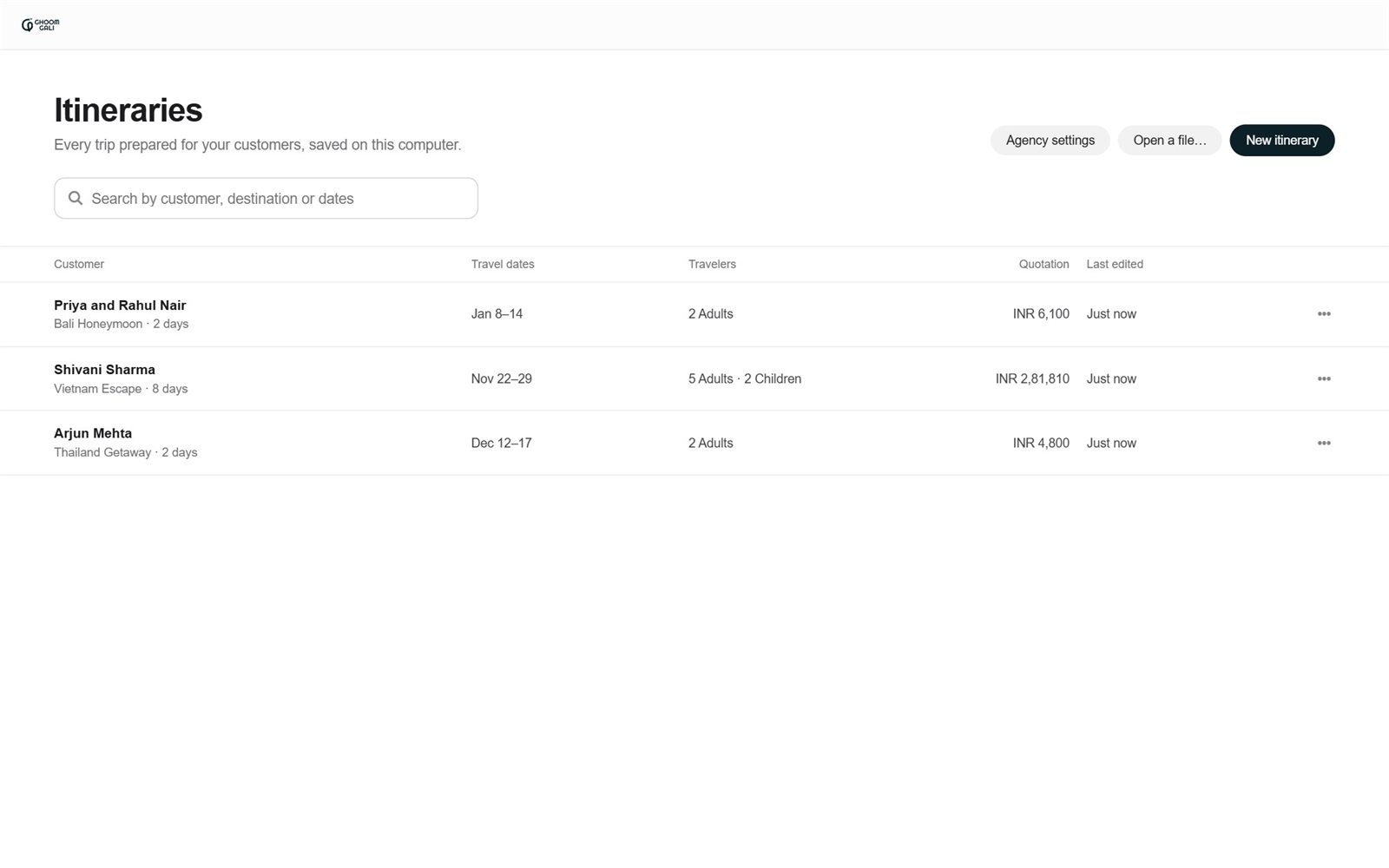
Every trip the agency has prepared, in one list.
Customer, travel dates, travelers, the quoted total and when it was last edited. Search it, reopen a trip, or duplicate one for the next customer.
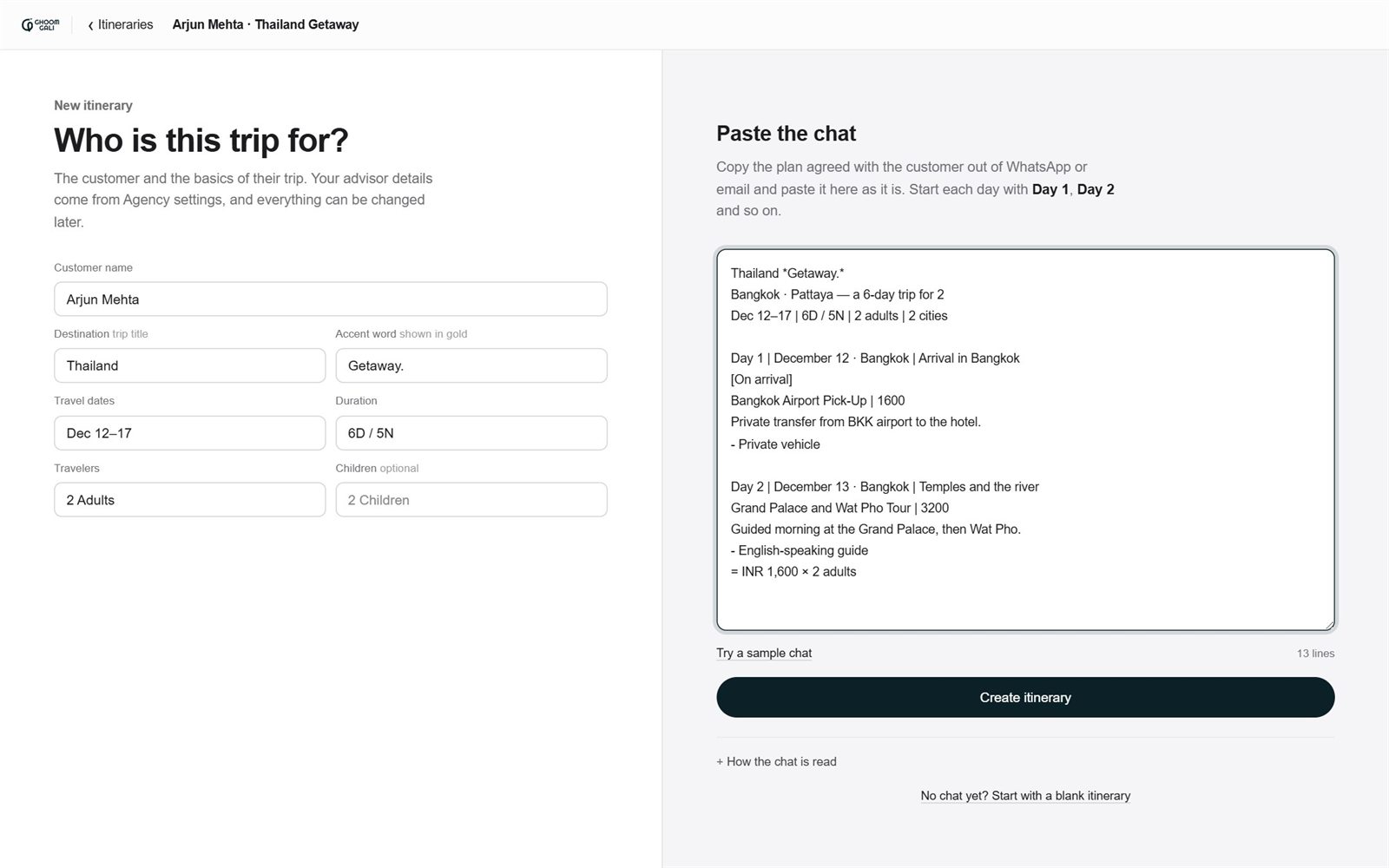
The customer on the left, the chat on the right.
Fill in who the trip is for, paste the plan agreed on WhatsApp or email, and create the itinerary. No chat yet? Start blank and build it from the cost sheet.
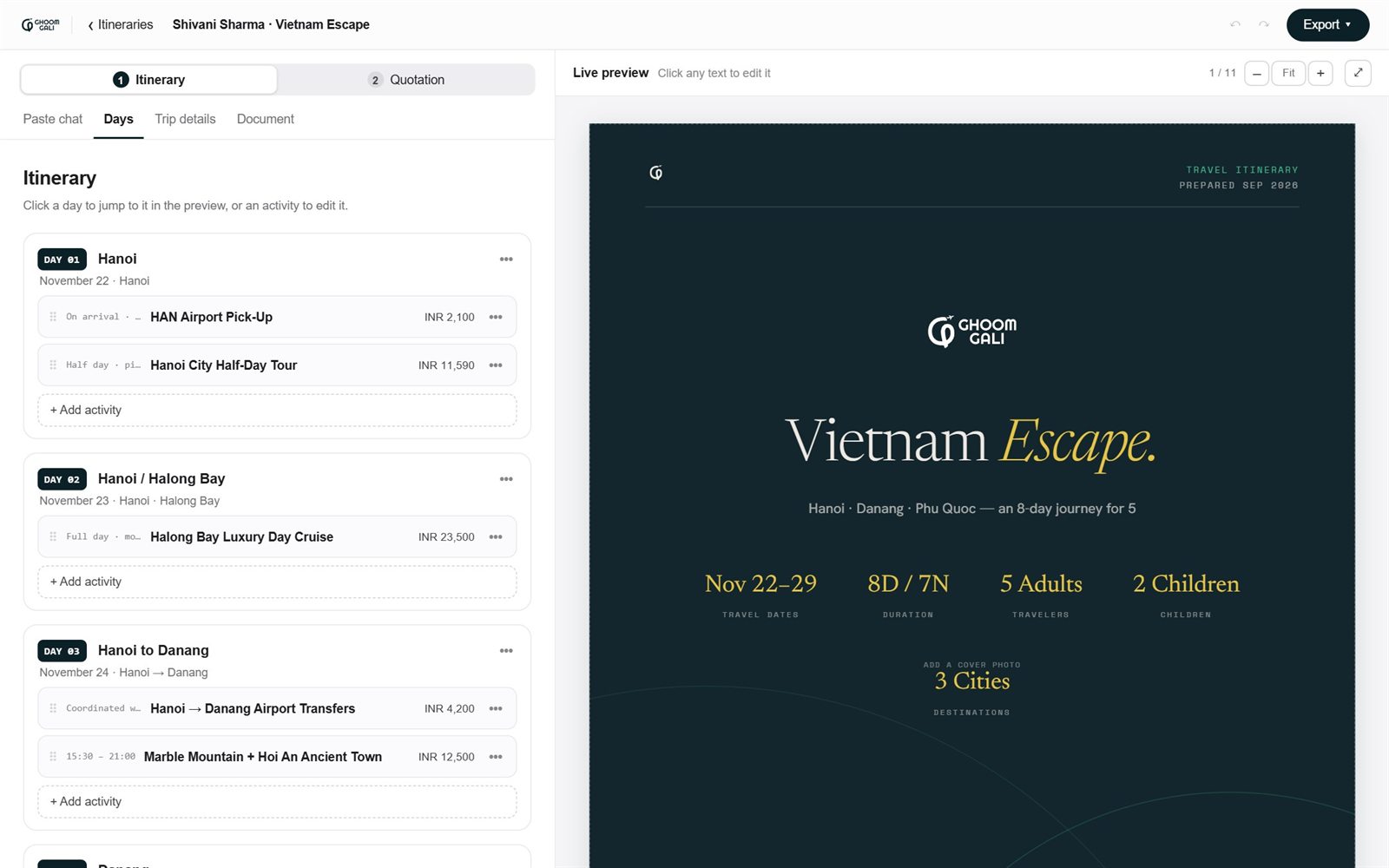
The days, beside the real document.
Every day and activity with its price. Click a day to jump to it in the preview, drag to reorder, or click any text in the preview to change it.
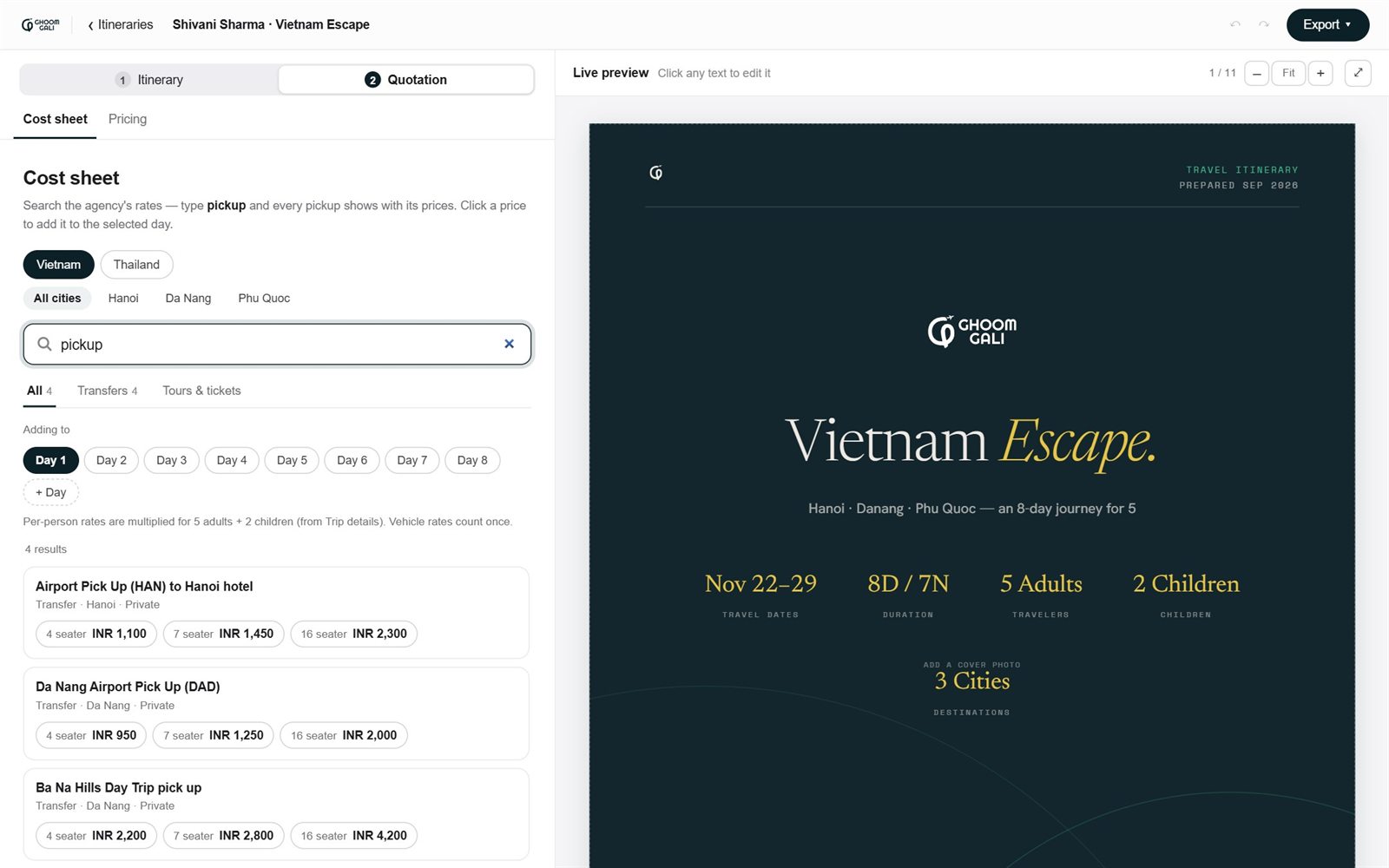
Search the agency’s rates instead of opening Excel.
Pick a country and city, type “pickup”, and every pickup shows with its prices. Click a price to add it to the selected day. Per-person rates multiply by the travelers; vehicle rates count once.
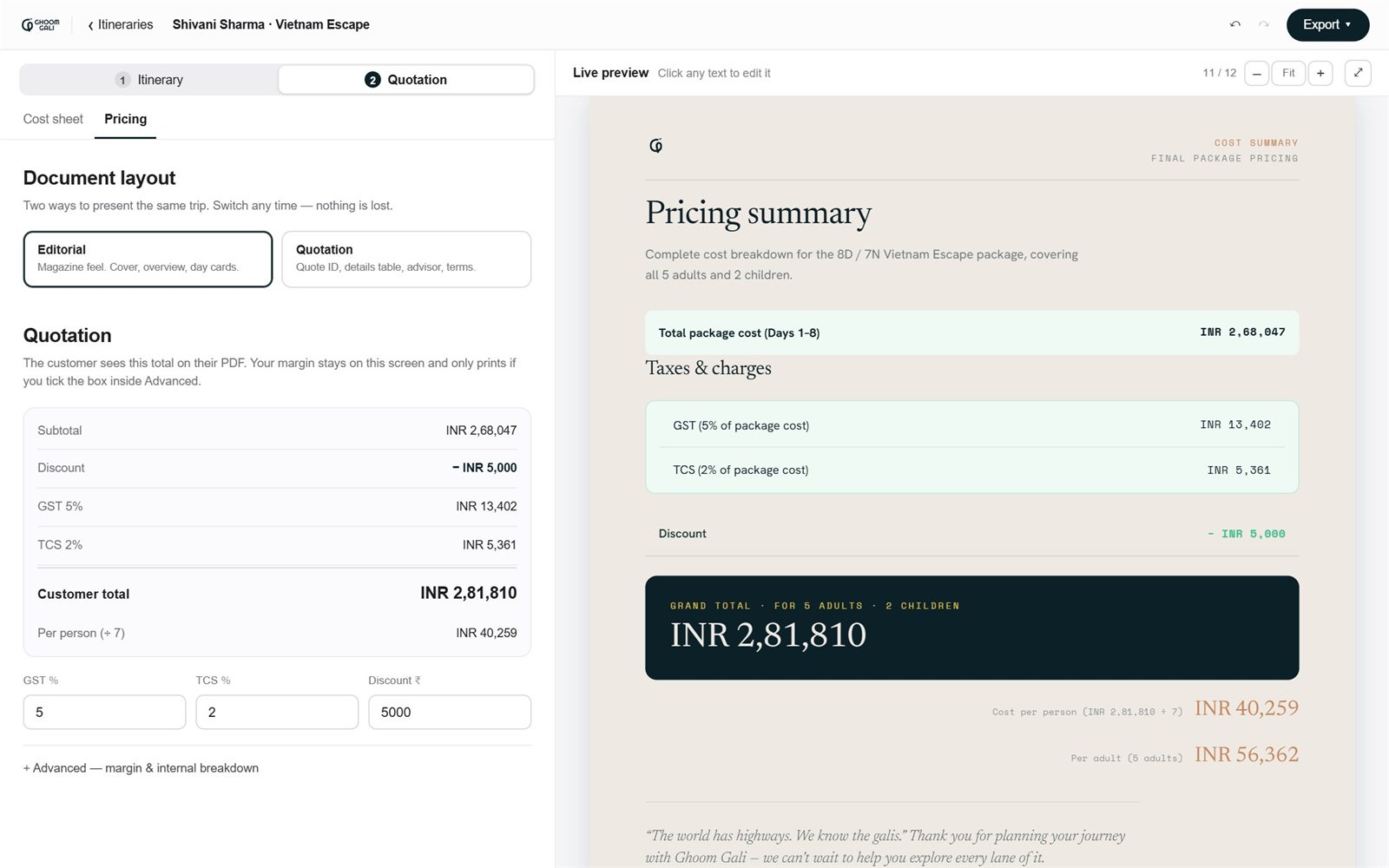
The customer total, with the margin kept private.
Pick the Editorial or Quotation layout, set GST, TCS and a discount, and see the total and per-person price update. The margin stays on this screen unless someone deliberately prints it.
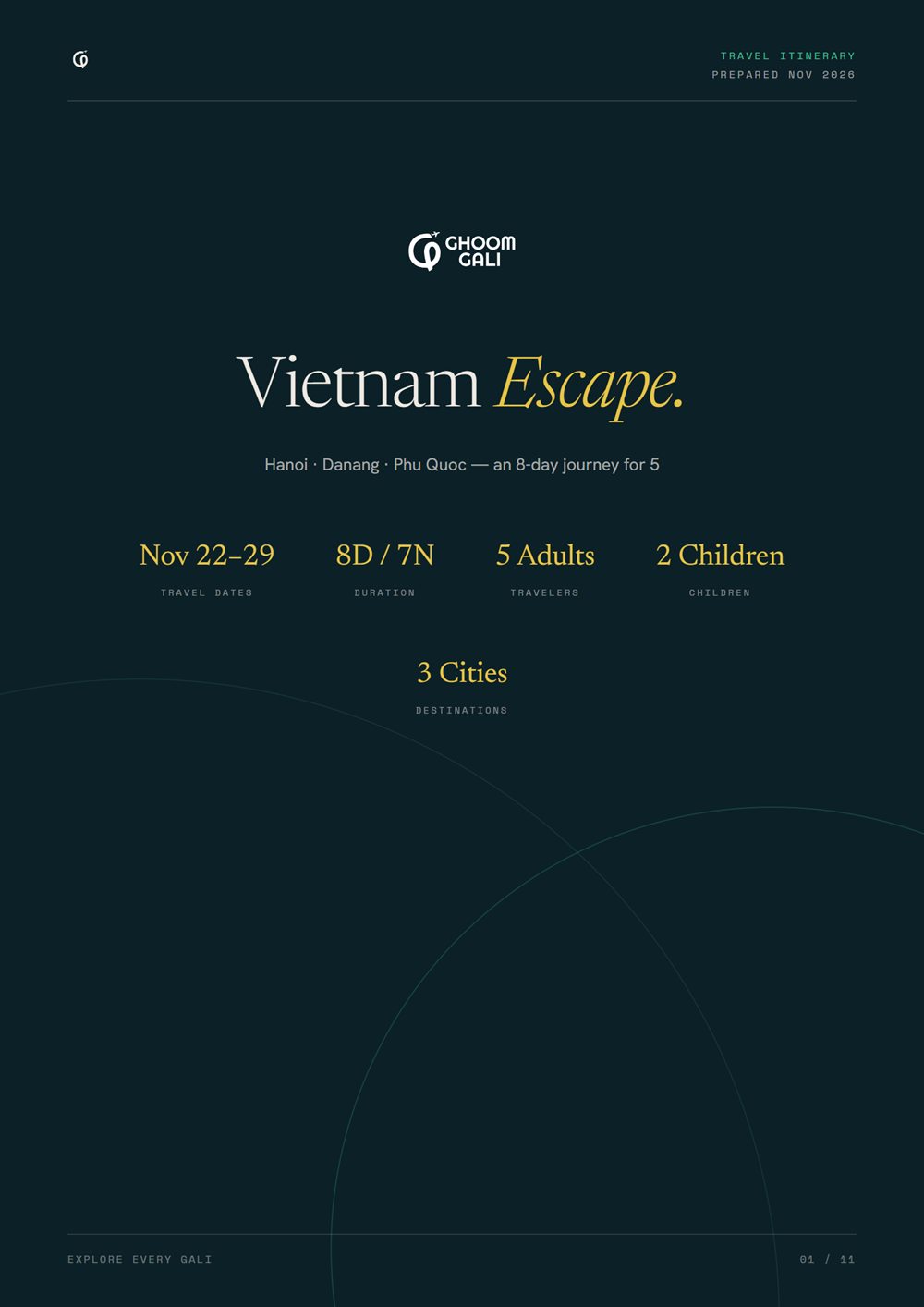
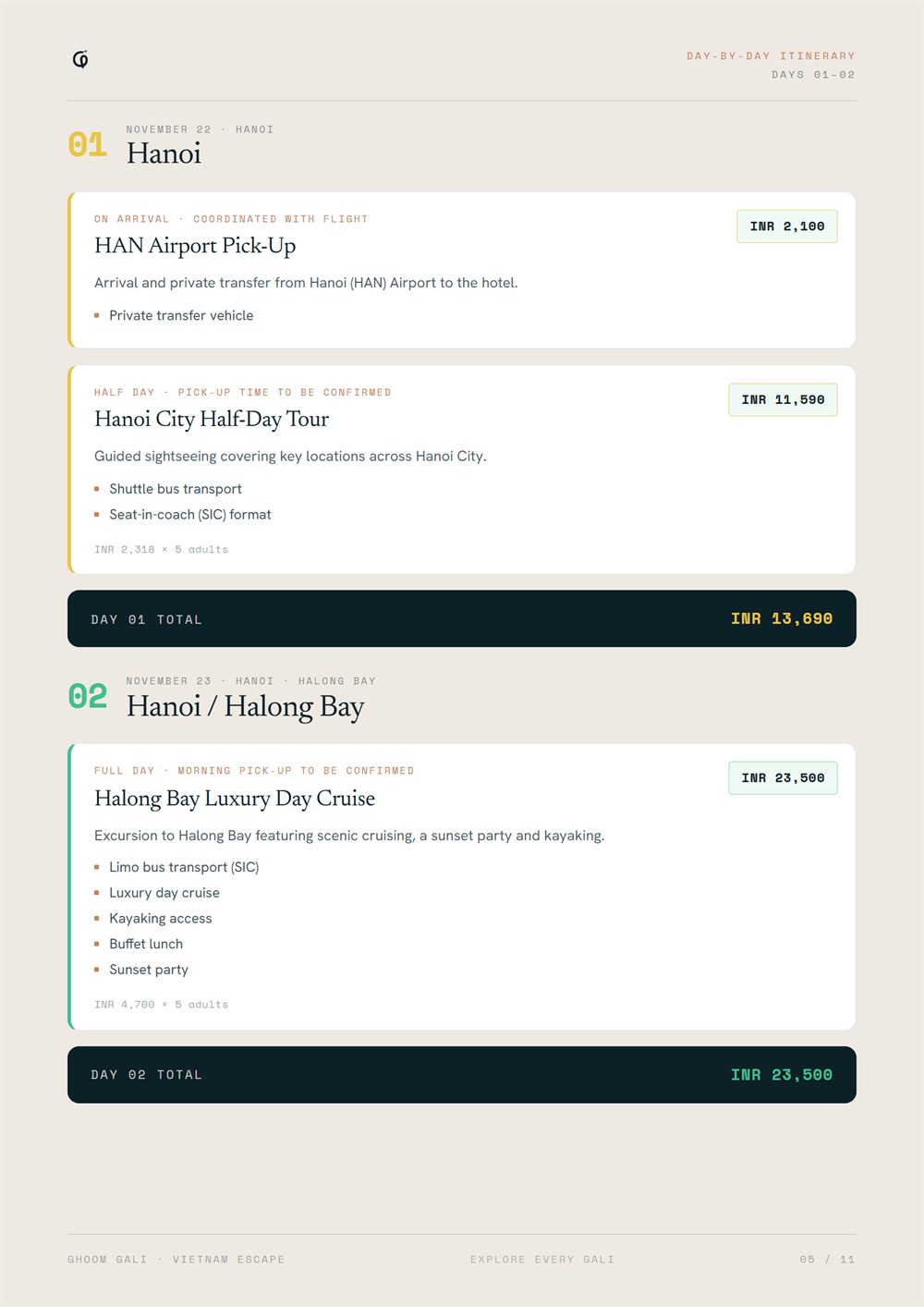
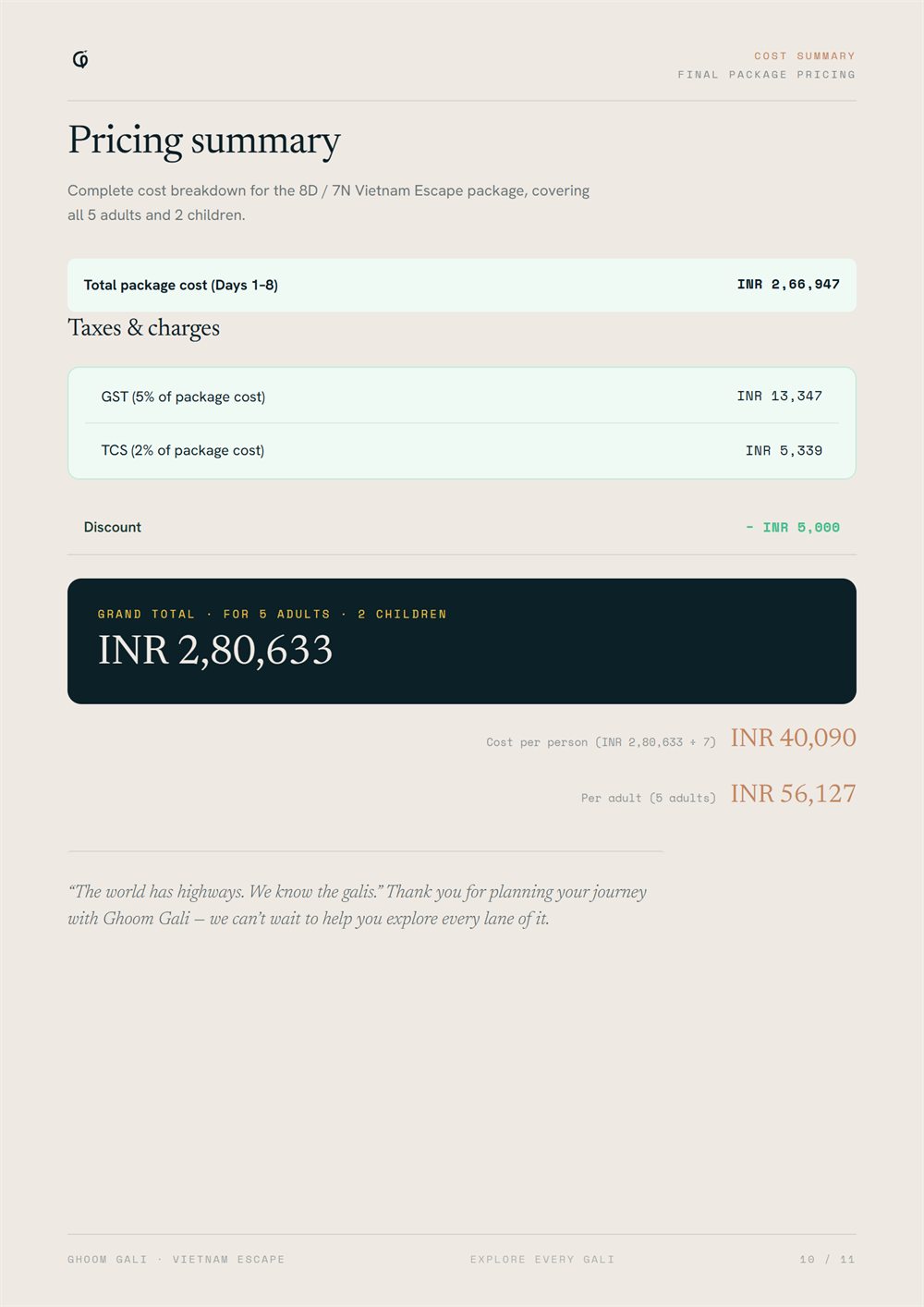
What the customer receives: cover, day-by-day pages and pricing.
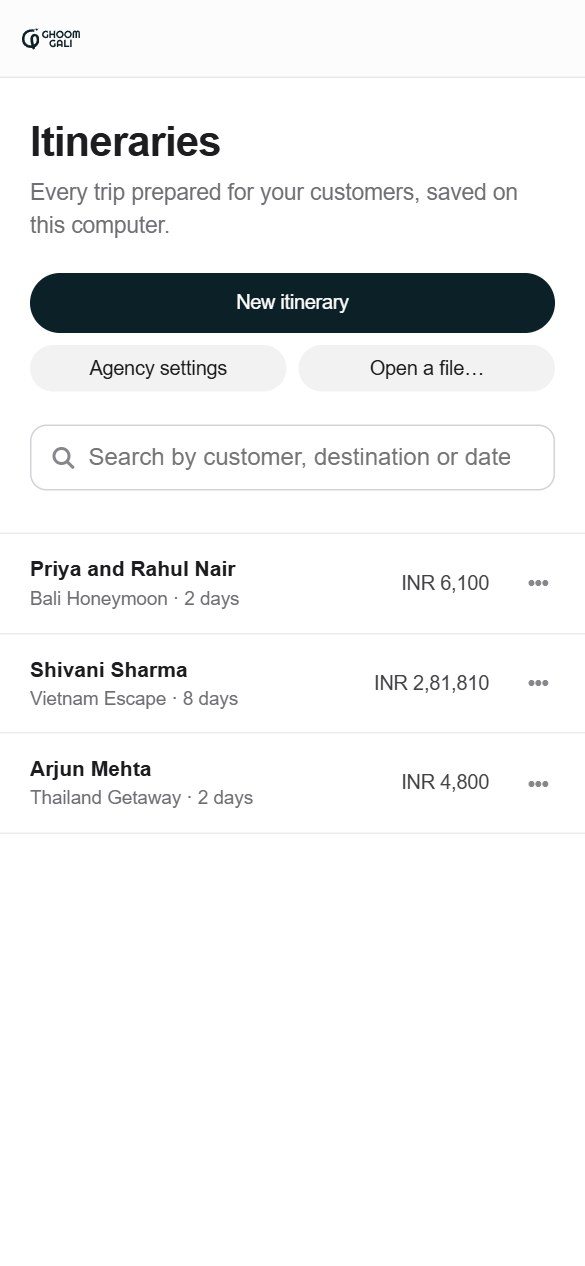
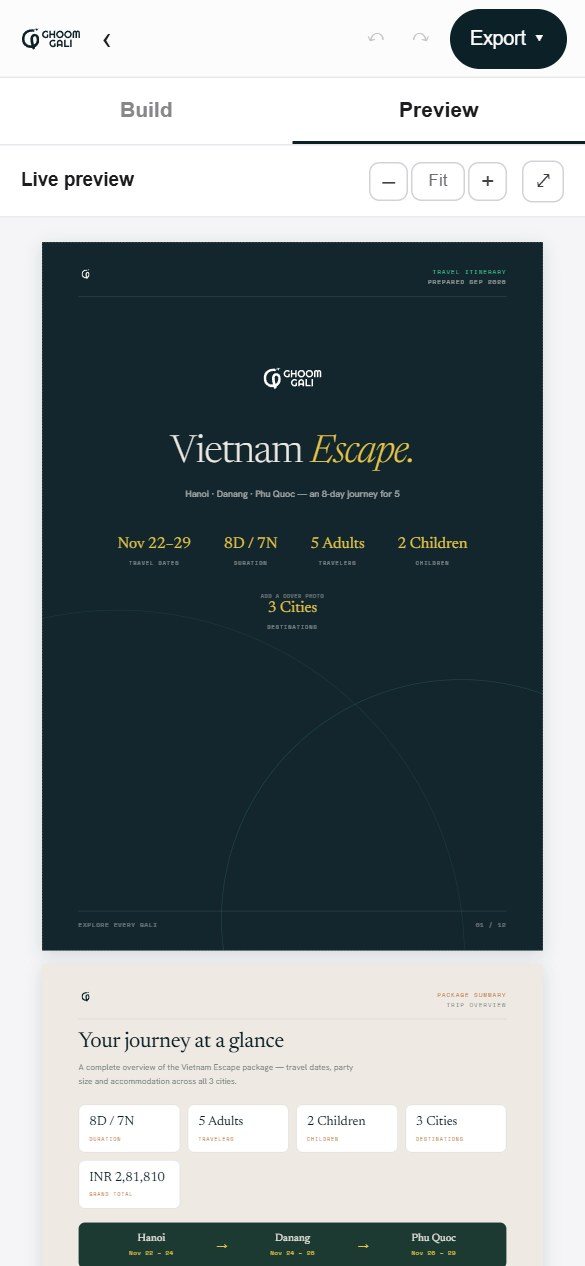
What the client asked for, and what we built.
One decision was ours to make: the agency’s rates are never built into the tool. It is a public link, so anything bundled into it could be read by anyone. Each staff computer imports the cost sheet once, and it stays in that browser.
Two weeks, eight versions, each shaped by the team using it.
A first working version went to the client on day one. Every round of feedback went straight into the next version, and the interface was redesigned along the way. It is still in progress.
Notes in, branded pages out.
Paste a plan, get a cover, overview, day cards and a cost summary; edit in place; export.
Priced the way agents quote.
Child pricing, GST and TCS on their own, inclusions, a colour per trip and custom file names.
Costing that stays internal.
A margin calculator, with the margin kept off the customer’s PDF.
A second layout.
The Quotation layout, a morning, afternoon and evening summary, terms and a discount.
Build a trip without typing.
An activity library imported from an Excel cost sheet.
A calmer interface, and a phone view.
A minimal, monochrome redesign, with the brand’s darkest colour for the main buttons.
A guided start.
Full-page onboarding and a tabbed editor.
An agency tool.
Saved itineraries, Agency settings, two tabs, and search across the agency’s real Thailand and Vietnam cost sheets.
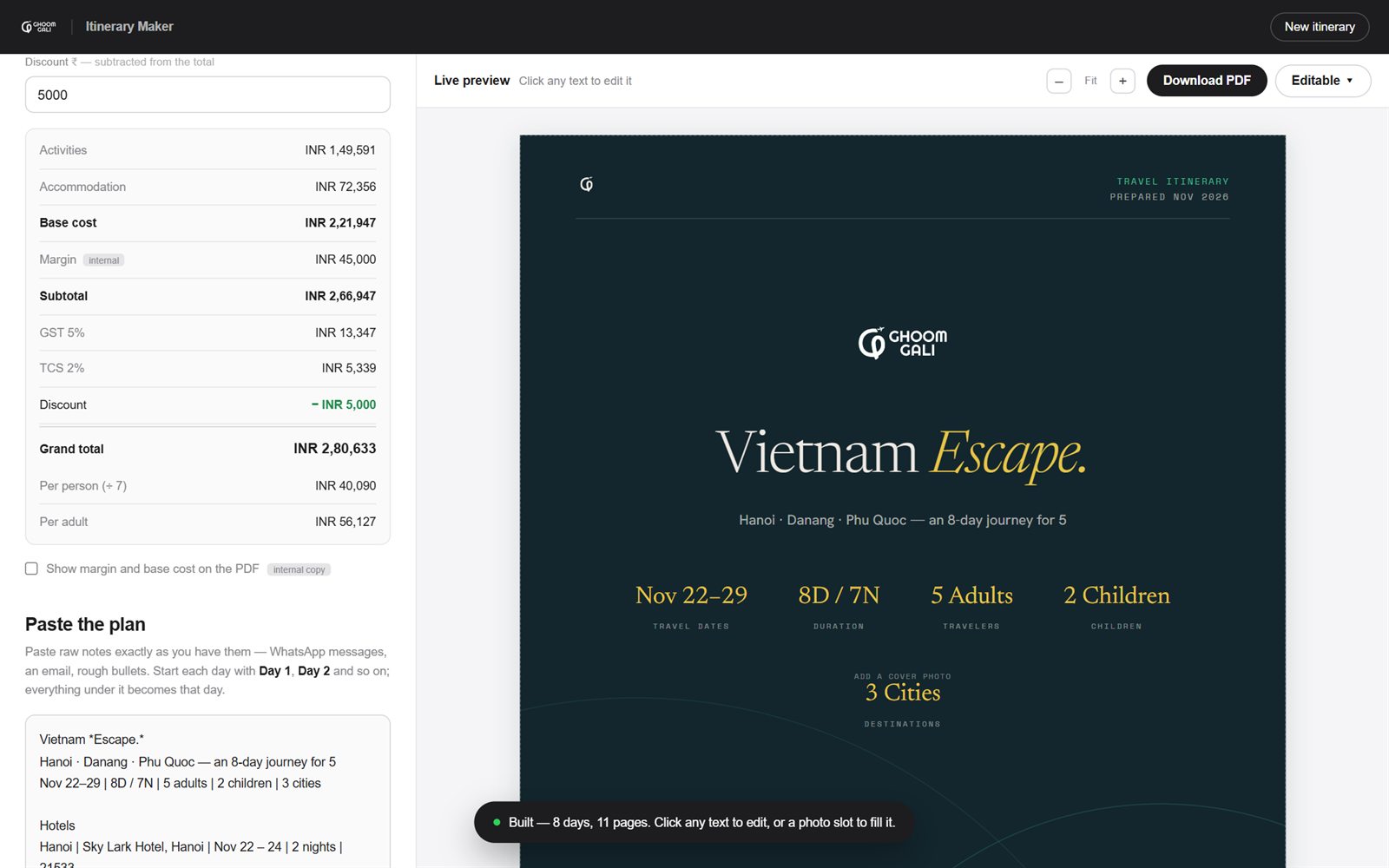
A brand in use, and quotations in minutes instead of hours.
Hours to minutes
An itinerary and quote that took hours to put together now takes minutes.
Every PDF on brand
Whoever makes it, the itinerary looks like Ghoom Gali.
Real rates, searchable
The agency’s Thailand and Vietnam cost sheets, 259 items, load into the tool and search in seconds.
Margin kept private
The customer sees the total; the agency’s margin stays on screen.
Free to run
No server and no subscription, and the rates never leave the agency’s computers.
The brand is live
The Instagram feed runs on the system, and the website is being built from it.
What I learned
Fun and trust can share one mark.
I expected to have to pick one. Giving each a different job worked: the shape and the warm colours carry the friendliness, the weight and the deep Abyss carry the trust.
Showing rough options early saves rounds later.
Putting directions in front of the client while they were still sketches meant we talked about ideas, not polish.
People follow defaults, not guidelines.
Nobody opens a guidelines PDF while rushing out a quote. Building the brand into the tool protects it better than the document alone. I now think of a brand system as something people use, not something they read.
Design the maker’s side too.
Travellers see the PDF, but the person I most had to design for was the one turning messy notes into it. A beautiful output is worth little if making it is painful.
Unfinished in real hands beats polished in mine.
A rough version on real trips taught me more in days than more planning would have. The team found needs I would not have guessed.